Bill and Will's Synth
Face Plate Design


Jan 2008 -

History:

At first, our interest in Face Plate Design was to illustrative.  We wanted to illustrate our synth so we could design its layout and to help us decide what modules we should have.  Also, in the olden days, I had a patch reference sheet for my synthi-A which came in very handy for recording my patches.  I wanted us to have one of these for our synth.

When Mike came along and suggested we do some MOTM designs for some modules he wanted too, we did these and added them to our design collection.  They're all on our Synth Main Page - click here.

As time went on, we found ourselves designing MOTM face-plates for Jürgen Haible's modules, the Tellun Doomsday Machine, and Magic Smoke's Mankato Filter - these designs were adopted and manufactured by Scott Deyo of Bridechamber.

Then it came to designing the panel for our 22 band version of the Yusynth Fixed Filter.  Well - we did, but it's not likely anyone else will want this behemoth (who in their right mind would).  Mike has a milling machine in his garage and suggested he could get it up and running and if we sent him panel designs in software compatible with the mill, he could make one-shot panels up for us.  Besides, he's got a bunch of such panels he's going to need too and we could help him with those designs.

So our serious work began with Front Designer.

This page is an attempt to document our thoughts and discoveries about the MOTM standard panel design and applying that standard to custom modules and especially modules larger than 2U wide.

1. Units of measure

English vs Metric:

When we began, we did our illustrations in English units.  But when we got to using Front Designer, we switched to metric.  We did this because it was easier to work in FD that way, and because, much to our surprise, the MOTM 300 panel we were using to establish our reference design clearly measured out more easily in millimeters.

So the ".FPL" files we have on hand here are all in metric whereas the illustrations are, technically, in English.

Our Proof

We wanted to include these images to prove that we're not crazy.

(soon to come)


2. Mounting holes / overall panel dimensions

Equipment rack rails:

There are lots of ways to mount the modules; screw into wood, bolt into rack rails - it's pretty much the same.  But the standard equipment rack dimensions are what determines the positioning of the holes in the panels. 

We got hold of some very nice 18U rails - eight pair.  Here's their spec sheet:

Here's a simplified version of the dimensions of the holes relevant to our discussion:

Calculations:

So - for a 1 Unit wide module, the mounting holes will be 1-1/4" , or 1.25" or 31.75mm (rounded off, that's 32mm) apart on center.  The holes in the panels are big enough to allow for some slack.  So rounding off the millimeters, for instance, works just fine.

Likewise - for a 2U wide module, the mounting holes will be 3" or 76.2mm (rounded to 76mm) apart.

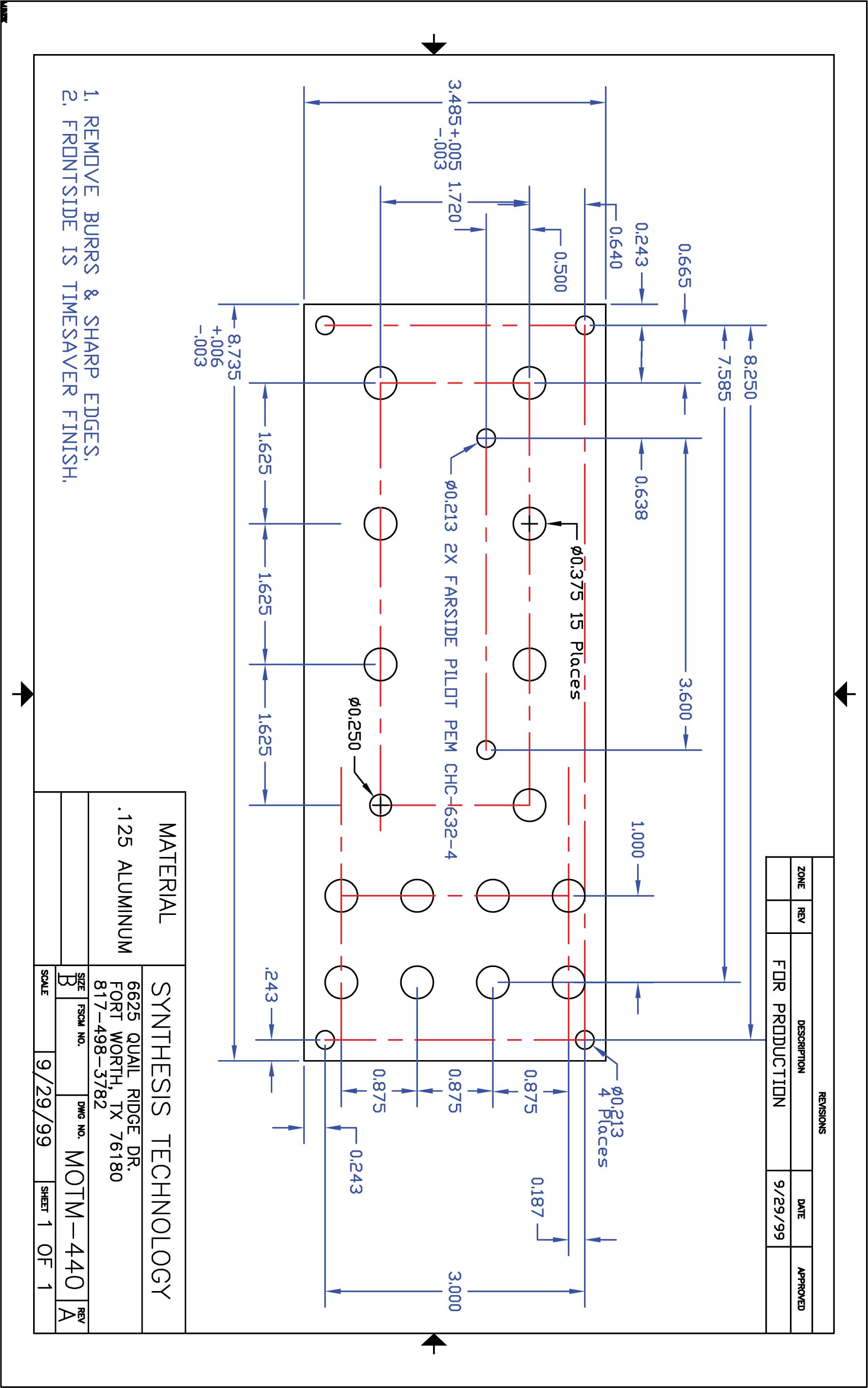
The panel itself is, of course, wider.  As it turns out, if the edge of the panel is about 15/64" (or 6mm) from the center of the mounting hole, it turns out just about perfectly; it leaves a little gap between panels for fabrication inaccuracies.  The MOTM 300 panel we measured is exactly 88mm wide.

And the standard panel height is actually 8-45/64" (that's 3/64" shy of 8-3/4").  The MOTM 300 we measured is exactly 222mm high.

This chart shows our calculations for the mounting holes and panel widths.  As it turns out, we've rounded the millimeters to the nearest half for a little greater accuracy:

  calculation Dist between holes panel width
Inches Millimeters
1U 1.25   1.25   31.75  (  32.0)     44.0 mm
2U 1.25 + 1.75   3.00   76.20  (  76.0)     88.0 mm
3U 1.25 + (2)1.75   4.75  120.65 (120.5)   132.5 mm
4U 1.25 + (3)1.75   6.50  165.10 (165.0)   177.0 mm
5U 1.25 + (4)1.75   8.25  209.55 (209.5)   221.5 mm
6U 1.25 + (5)1.75 10.00  254.00 (254.0)   266.0 mm
7U 1.25 + (6)1.75 11.75  298.45 (298.5)   310.5 mm
8U 1.25 + (7)1.75 13.50  342.90 (343.0)    355.0 mm

3. The Grid

POTs vs Jacks

As we already mentioned, our earliest panel design work was based English measurement.  But no matter what the units of measure, there are two standard vertical distances used on MOTM panels; one for POTs at the top of panels and one for Jacks at the bottom.  Where rows of these elements overlap, they generally stick to their own vertical grids.

Horizontally, the POTs are centered in 1U panel space whereas the jacks are centered in half a panel space.

Other elements fit into these grids as seems appropriate and, occasionally, a switch or LED will appear off the grid to save space.

This diagram illustrates the layout of a MOTM 300 and shows the standard spacing for jacks in English units.  Please note that this diagram is only schematic.  On the 300 panel we just got from Paul at Synthesis Technology, the knobs are slightly closer to the center of the panel.  The left column is about 1mm to the right of the 7/8" measure, the right column is about 1mm to the left.  It can be argued that it doesn't really matter.  But I mention it for accuracy's sake.

If you open this image in another window, you can see it in higher resolution.  Also, it's hyperlinked to the Powerpoint file used to make it.

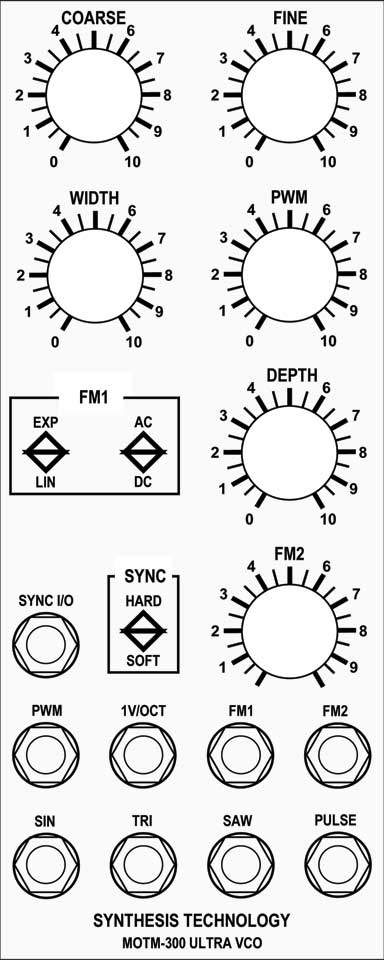
If you study early photos of the 300 - like the one at the top of this page, you can see that the "Sync I/O jack" is clearly on the "Jack Grid" and is a little lower than the "Sync Switch" and "FM2" knob just like on the diagram above.  But the 300 panel that we just got from Paul at Synthesis Technology, has the jack, switch, and knob aligned.

Horizontally, the POTs are centered in 1U panel space whereas the jacks are centered in half a panel space.

Oh - also, the MOTM standard font is "Alternate Gothic No. 2"  Click here to download.

4. Metric MOTM-300 Front Designer File

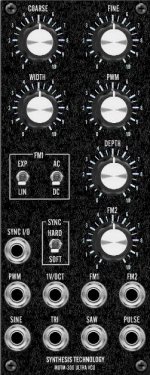
First thing, we developed a Front Designer file of the MOTM-300 front panel as an exercise and to develop a standard for future work.  As we've said before, we did it in millimeters because the measurements we did on the Synthesis Technology panel we were using as our standard worked out that way best.  Here's what it looks like (it's also at the top of the page):

Click here to download the Front Designer ".FPL" file.

There are two Front Ddesigner scales (".SCL files) used.

Click here to download the scale file with numbers 0-4 and 6-10 (5 is left blank for the knob's label).

Click here to download the Front Designer Scale file with numbers 1-4 and 6-9 (5 is left blank for the knob's label and 0 and 10 are left off because they take space needed for jacks).

You'll also need the Alternate Gothic No. 2 ".TTF" file installed on your computer.  Click here.

These files are preliminary!  Use them at your own risk!  We'll be testing them on Mike's milling machine soon.


Bill and Will's Synth Main Page
Send eMail to Dragonfly Alley